“Guys, the protocol constructor is pure magic. Even though it only does DTT for now, that’s already a big deal. I used to spend hours on all that writing, and now I put together a solid base for a protocol in a minute.”
— ABA specialist, partner center (translated from Russian)
Context
FlyMind is a platform for ABA therapy for children with autism. I joined as the only designer, and later — based on results — was promoted to product manager, so now I combine both roles.
ABA therapy is a science with its own rules and methodology, as strict as mathematics. But for all its rigor, it still lives on paper. One of the heaviest artifacts of this work is the DTT protocol.
The problem
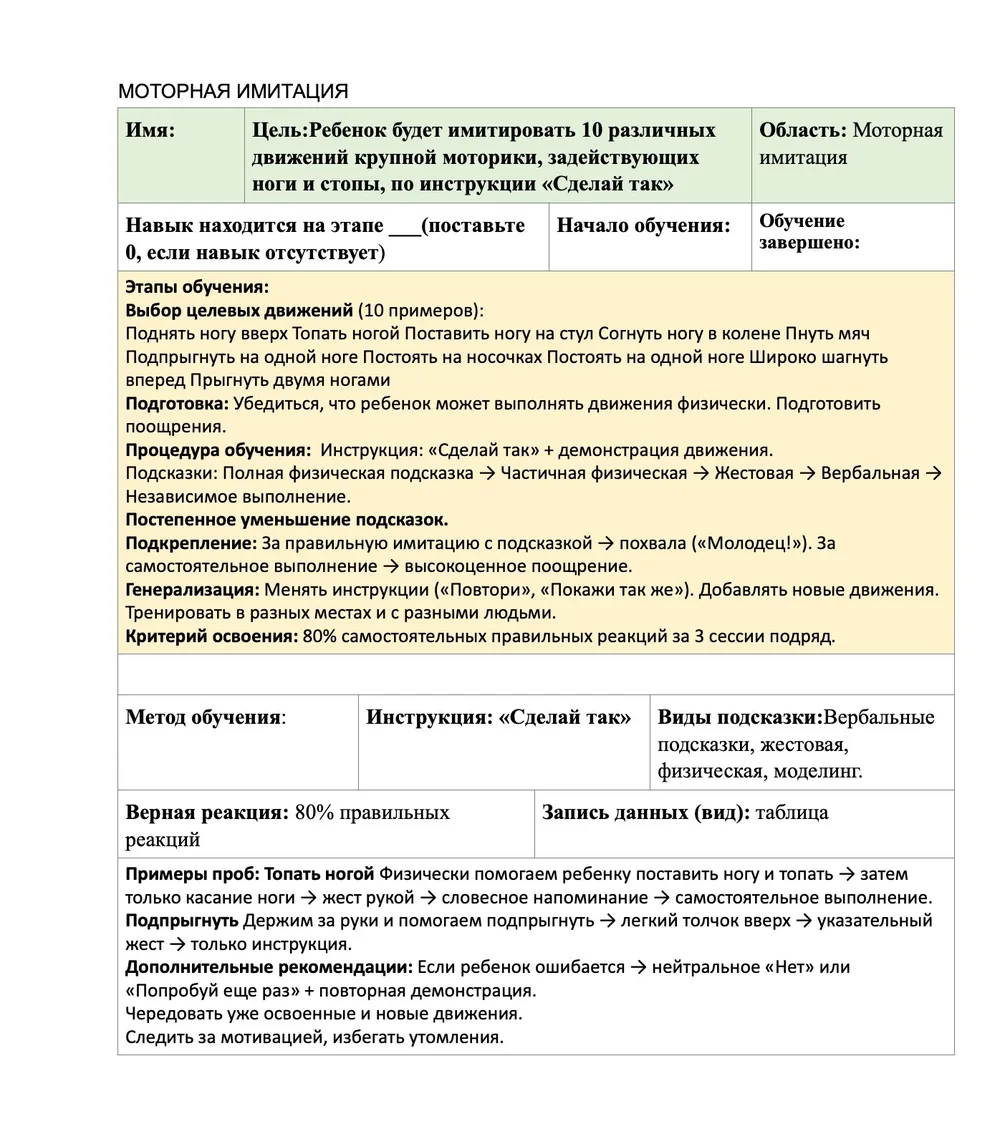
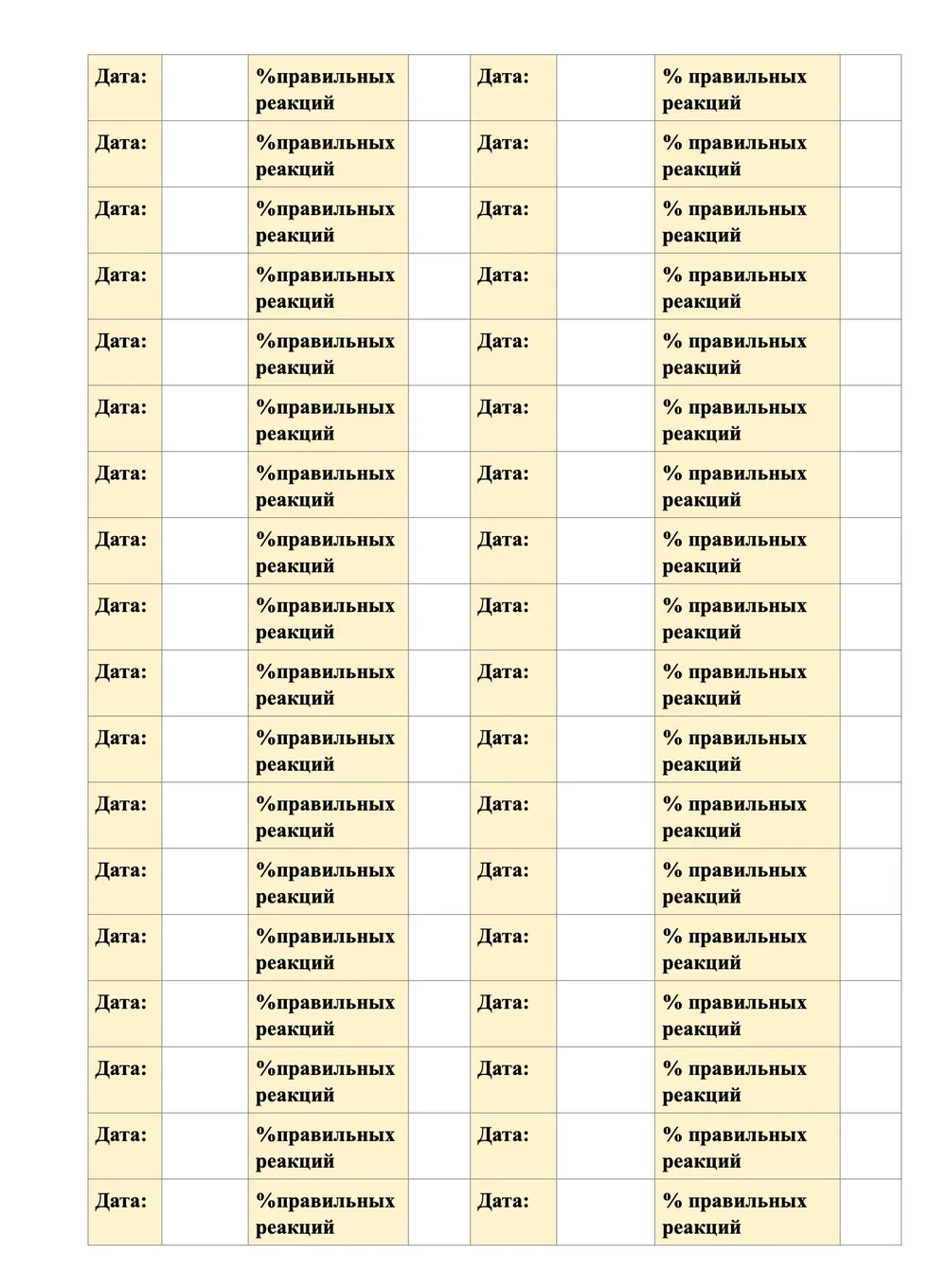
A DTT protocol is several A4 pages: tables, descriptions, goals, teaching stages, prompt types, mastery criteria, and a huge checklist for recording data after every session.
To create one protocol, a specialist first thought it through, then wrote it by hand, then pulled everything together. Only after that could they start working with the child.
At a conference we surveyed 12 specialists. Creating one protocol on paper took 1.5 to 4 hours. For one child. And a specialist works with dozens of them.
The core pain I captured: specialists spend hours not on the child, but on paperwork.
The goal I set for myself
Not just to digitize the paper. To remove from the process everything that isn’t the specialist’s expertise — and keep only what actually needs their professional judgment.
Everything else should be done by the system.
What I designed
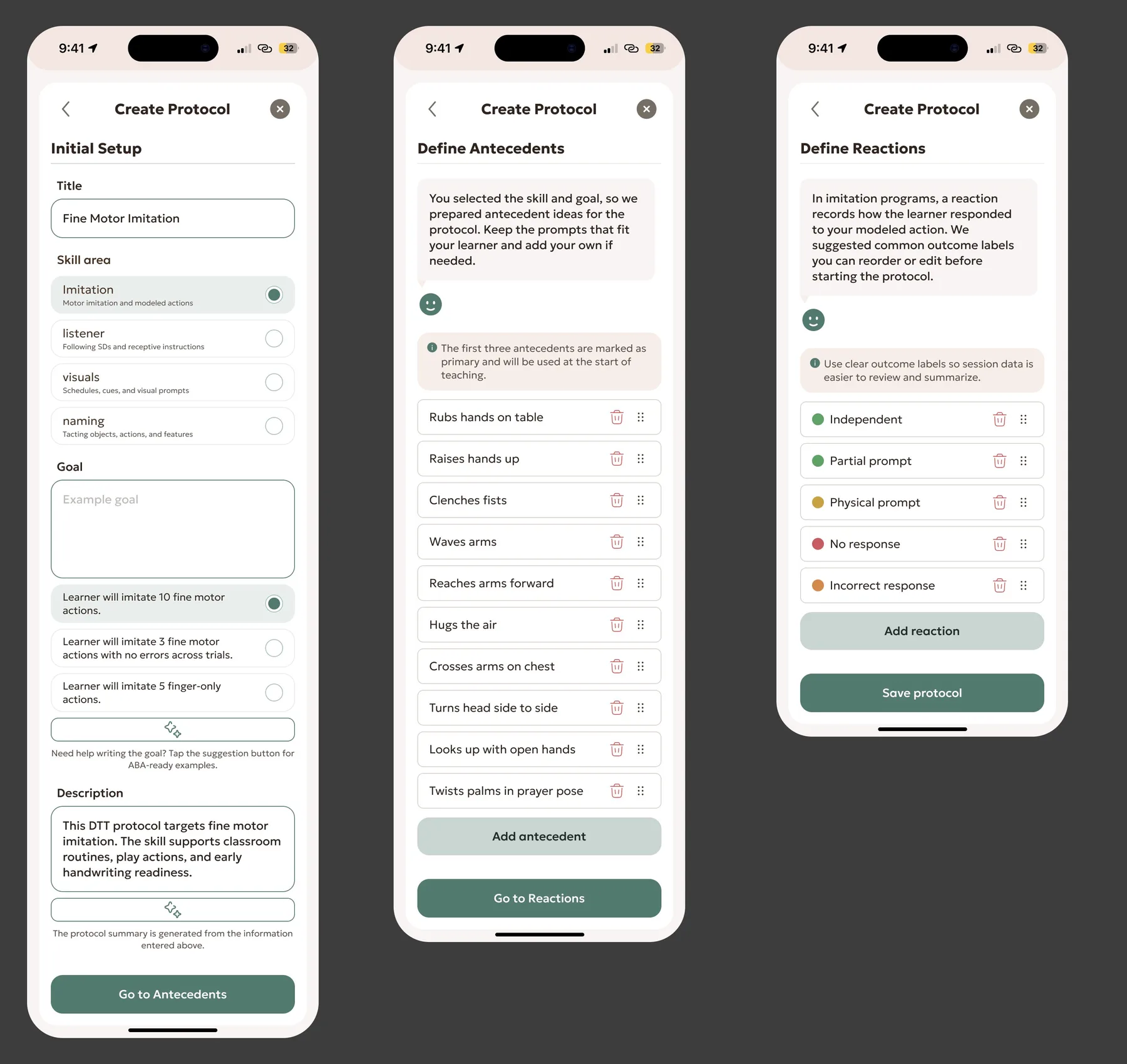
Instead of one dense A4 sheet, the constructor is split into three clear steps.
Step 1 — Initial Setup. The specialist enters only the protocol name and skill area. AI then suggests protocol goals and a description to choose from.
Step 2 — Define Antecedents. AI suggests specific stimuli for this protocol. Each one can be edited or removed, and the specialist can add their own.
Step 3 — Define Reactions. The system shows the reactions that fit the protocol type and skill area.
The key principle I defended throughout the project: AI is a tool, not a replacement. Every step can be done manually, and anything the system suggests can be changed. The expert stays in charge — AI just makes them faster.
Where AI failed — and what I did about it
The most interesting decision in this project is about where I removed AI.
At first, AI generated the child’s reactions in protocols too. But almost every specialist who tried the constructor said the same thing: it generates nonsense. And for a professional tool, nonsense means losing trust instantly.
I started digging. I ran a series of interviews with experts and found something non-obvious: reactions can be categorized. They are more or less the same from protocol to protocol — if you know the protocol type and skill area.
I collected these reactions from specialists, organized them into a structured table by protocol type and area, and we built them straight into the constructor. Now the system doesn’t make things up — it shows verified reactions that match the protocol settings.
In parallel, together with the engineering team, we refined the parts where AI stayed. Our approach: we asked specialists what they themselves type into ChatGPT when preparing protocols, systematized those phrasings, turned them into carefully tuned prompts and built them into the product. In other words, we literally moved the expertise of real specialists into the system’s logic.
This took the load off AI where it was failing, and protected the product from falling flat in front of the professional community.
Sometimes the right design decision is to remove AI, not add it.
A closed loop — from specialist to parent
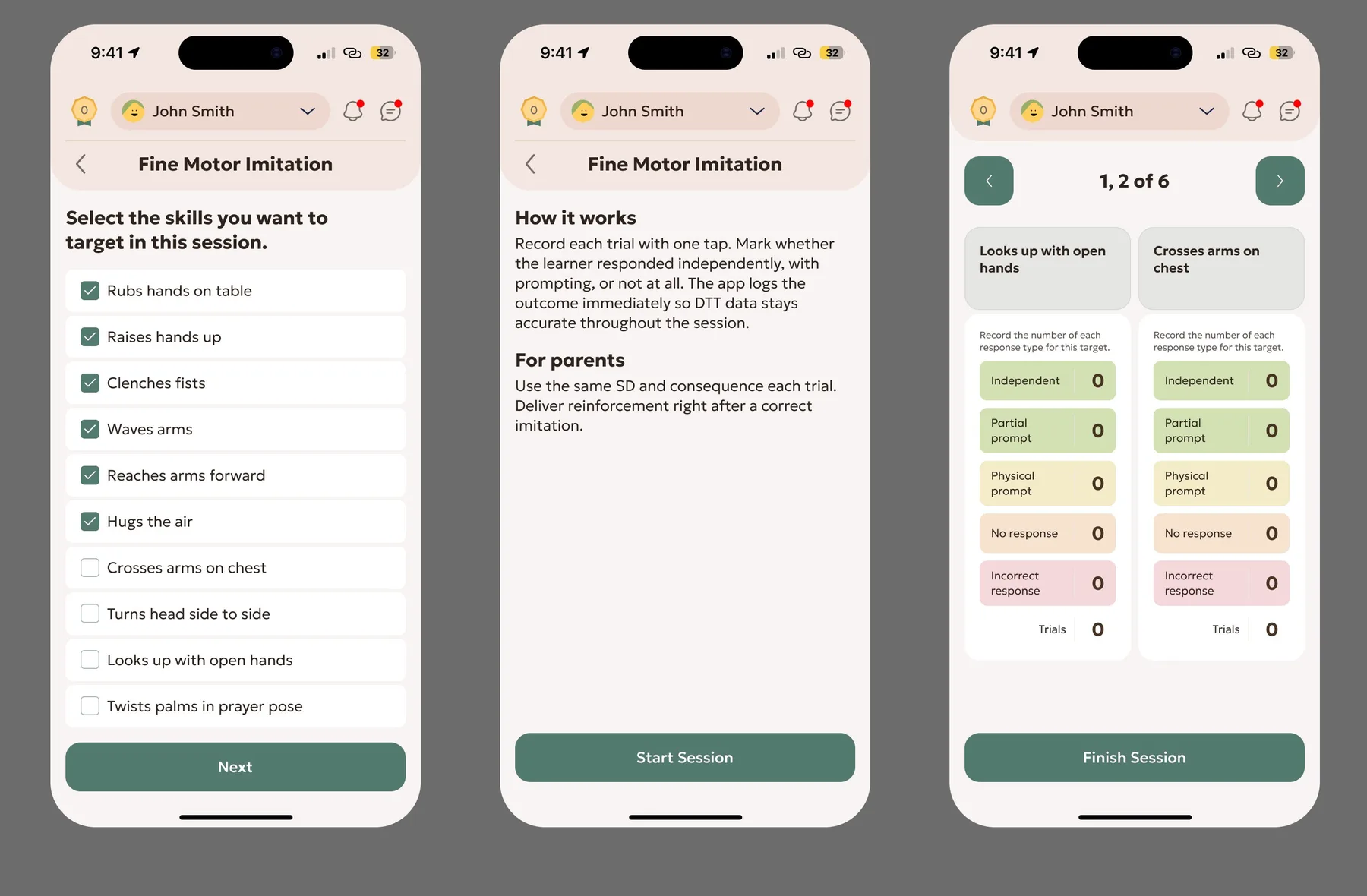
The specialist assigns the finished protocol to a child in a couple of taps. The parent receives it immediately.
During practice, the parent picks the target skills and records data for each trial in real time — one tap, without looking away from the child. After a few sessions there’s data and visible progress. Everything syncs between specialist and parent automatically.
What used to require manually copying data into Excel now collects itself.
Result
Before: 1.5–4 hours per protocol, A4 sheets, manual data entry into Excel. After: 2–5 minutes in the app, automatic data collection, visible progress.
The constructor became the feature specialists write to us about on their own, without being asked. Partner centers call it “magic” — even though it only covers DTT protocols so far.
What I took away
The most valuable skill when working on a professional tool is knowing where your expertise ends and the user’s begins.
I’m not an ABA specialist. So my job wasn’t to decide for them — it was to remove everything that gets in the way of them applying their own expertise. To shorten the path from an idea to a ready protocol. And to admit in time that in one place, a smart algorithm loses to a simple table built from the knowledge of real professionals.